# 3.2 \[AI] Coding
## **0. Introduction to the \[AI] Block Category**
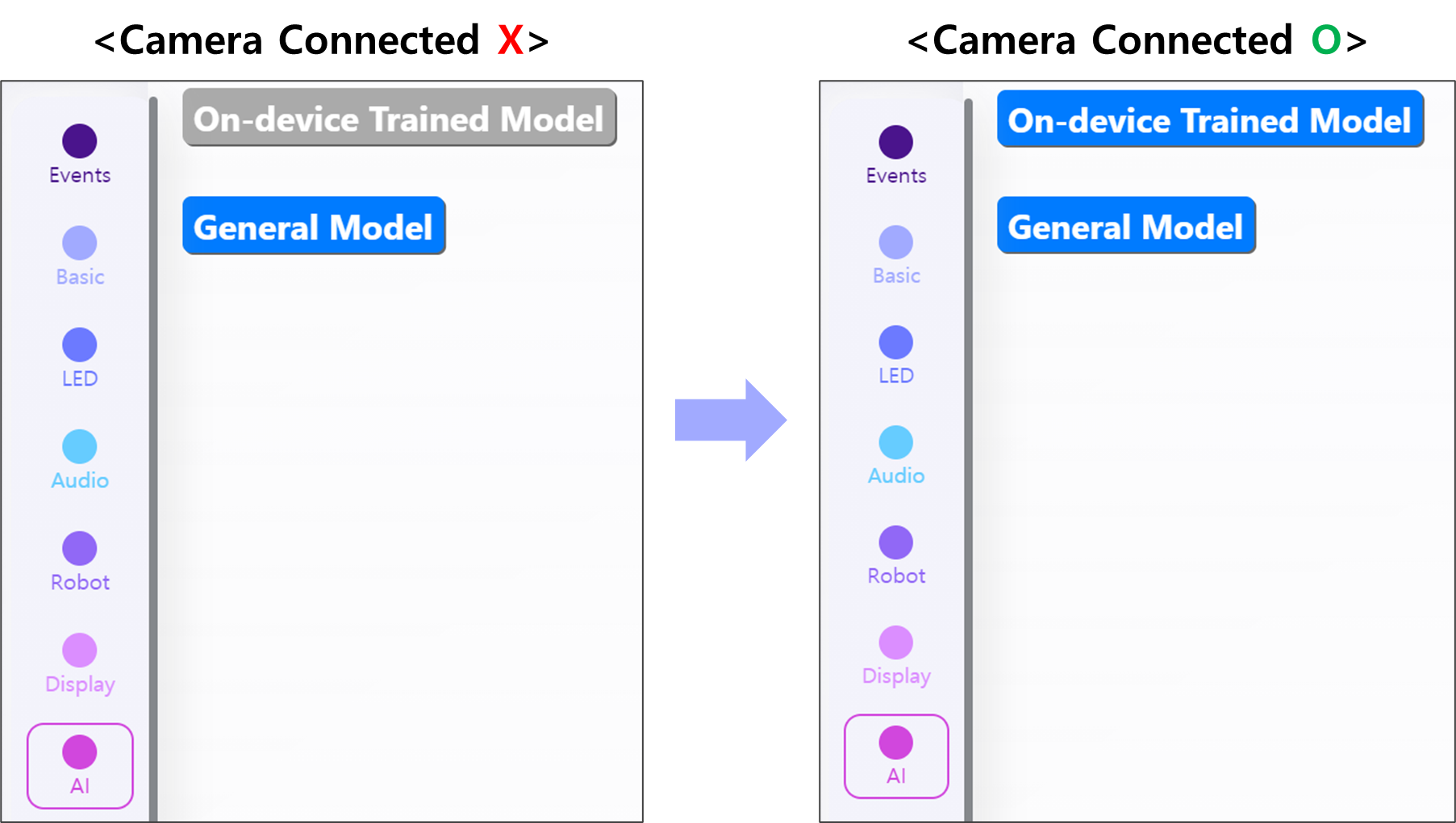
The **\[AI] block category** in the **\[Code]** tab provides blocks tailored to the selected AI model.
There are two types of AI models available:\
1️⃣ **\[OS Trained Model]** – Custom AI models trained using the **HUENIT AI Camera**.\
2️⃣ **\[General Model]** – Pre-trained AI models that can be used **immediately** without additional training.
* The **\[OS Trained Model]** requires **loading model data from the AI Camera**, meaning it is **only selectable when the AI Camera is connected**.
* The **\[General Model]** does **not require a connection** and can be used instantly.
## **1. \[OS Trained Model]**
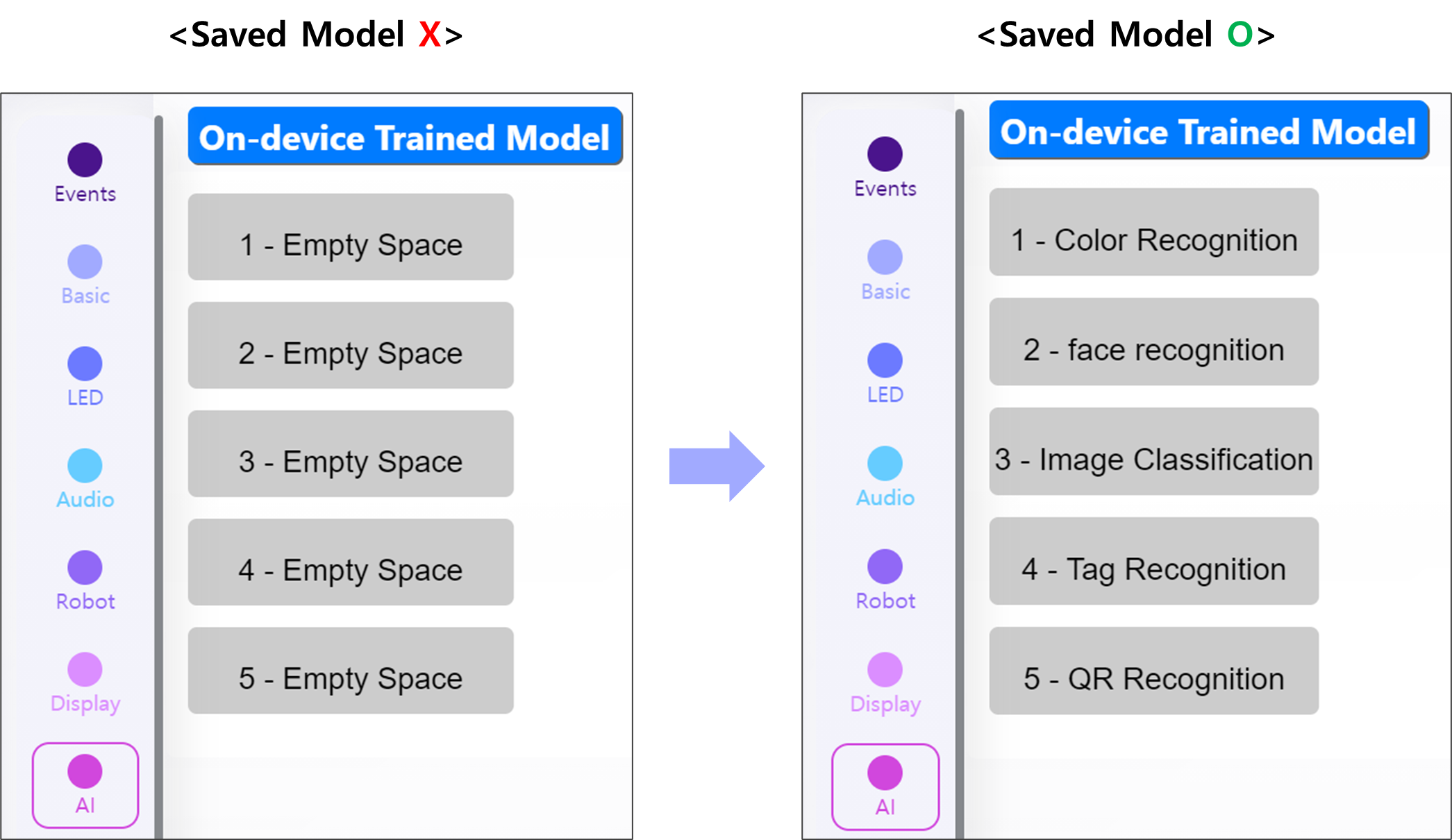
* When selecting **\[OS Trained Model]**, different options may appear depending on the **AI Camera** in use.
* This is because the **five AI models stored in \[Load Trained Model] within HUENIT OS** are synchronized and displayed.
* Since each AI Camera **may have different stored models**, the available options **vary by user**.
#### **Understanding Model Slots**
* **Model slots 1-5** correspond to the **five stored models** in **HUENIT OS**.
* If a slot is empty, it is displayed as **"Empty Space"**, and selecting it will **show no data**.
* If models are stored, they appear with their respective **AI function names**.
#### 📌 **Example Display of Stored AI Models:**
1️⃣: Color Recognition
2️⃣ : Face Recognition
3️⃣: Image Classification
4️⃣ : Tag Recognition
5️⃣ : QR Recognition
***
## 2. \[General Model]
{% hint style="info" %}
The **\[General Model]** is **not yet available**.
{% endhint %}
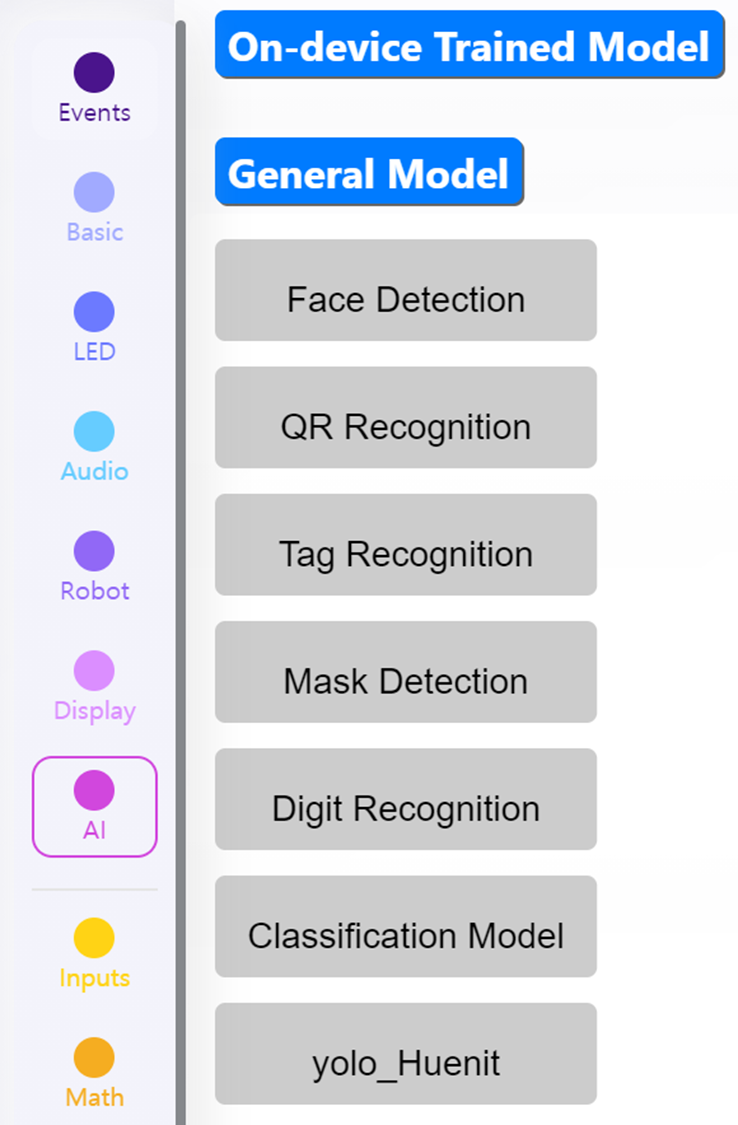
* **\[General Model]** supports a variety of AI functions, including:
* **Face Detection**
* **QR Recognition**
* **Tag Recognition**
* **Mask Detection**
* **Digit Recognition**
* **Classification Model**
* **yolo\_Huenit**
* Although you can write code without the AI camera for the \[General Model], you cannot check the results unless the corresponding AI model is uploaded to the camera.
* You must first upload the desired General Model in the **\[AI Model Training]** tab.
* The **(Face Detection)** to **(Digit Recognition)** models can be uploaded by pressing the \[Example] button.
* For the **Classification model**, you must either upload a Classification model you have created or upload the provided example Classification model.
* The **Yolo\_Huenit** model requires you to upload a Yolo model you have created or upload the provided example Yolo model.